Page 50
Supplement 1. Keyboard Shortcuts
───────────────────────────────────────
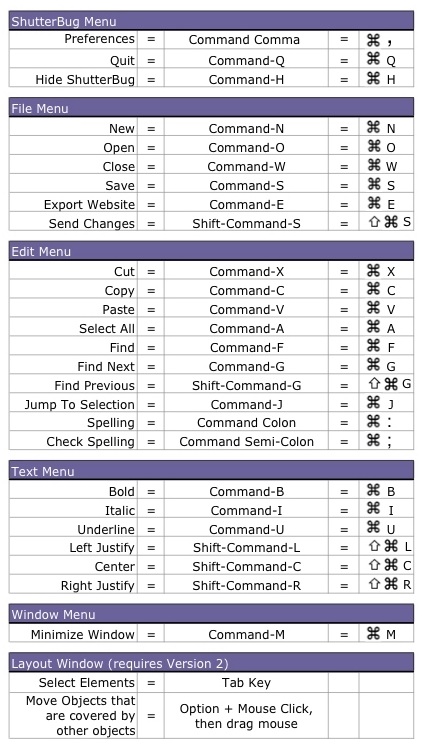
The following table outlines the keyboard shortcuts available in ShutterBug. You can
download a printable version here. Version 2 adds two new shortcuts for the Layout
window:
• The Tab key lets you cycle through the elements and xtra boxes on the page,
selecting each one for positioning and editing.
• Option + Mouse Click, then dragging your mouse, allows you to move an object that
is covered by another object.
───────────────────────────────────────